ClearStar Push to Talk: Intercom Features for Polycom

Turn your Polycom phone into an intercom


Turn your Polycom phone into an intercom

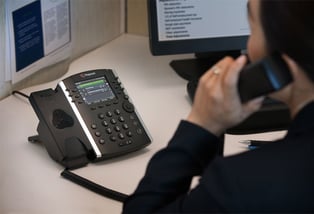
ClearStar Push to Talk allows users with ClearStar Executive and ClearStar UC-One licenses to leverage their Polycom phones as intercoms. By dialing a simple Feature Access Code (or Star Code), a user can initiate an automatically answered 1-way or 2-way call with another user within their enterprise.

ClearStar Push to Talk is a great solution for informing users of parked calls, announcing urgent matters, or even opening a channel of communication to a small warehouse environment.

If your business can benefit from Executive-Assistant, be sure to give us a call 800.456.5800 or email us at clientservices@aseva.com to set you up with a demo!


 

Michael Papa

Michael Papa

Manager - Client Services

Read More:

What Are Network Security Measures? 10 Basic Types
Every network is under constant probing – automated scans, phishing attempts, and opportunistic...
How To Implement Zero Trust: Key Steps & Common Challenges
"Never trust, always verify" is easy enough to say – but it’s considerably harder to put into...
What Is Endpoint Protection? How It Works & Why It’s Important
Each device that connects to your network represents a potential entry point for attackers – and...