Easily monitor and control parked calls
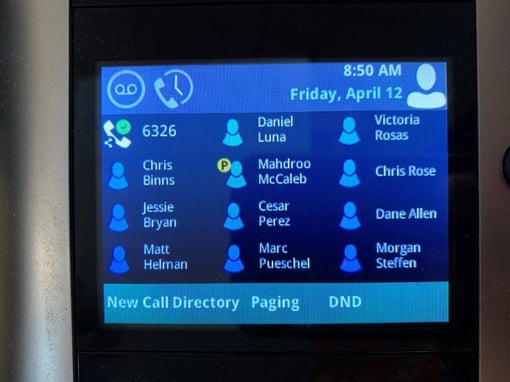
The ClearStar Advanced Park feature allows desk phone users with Busy Lamp Fields (BLFs) to see if a call is parked on one of their BLFs, view the calling line ID of the parked call, and decide whether they would like to retrieve or ignore the parked call.
The ClearStar Advanced Park feature allows desk phone users with Busy Lamp Fields (BLFs) to see if a call is parked on one of their BLFs, view the calling line ID of the parked call, and decide whether they would like to retrieve or ignore the parked call.
When a yellow “P” is displayed on a BLF, hold down the BLFs to display the call information. This will display the calling line ID of the parked call as well as options to retrieve the call, ignore the call, or just call the extension of the BLF.
ClearStar Advanced Park comes as an included feature with all ClearStar Standard and Executive accounts. For questions on how to use it, please call 800.456.5800.