
Cyber threats are becoming more complex – and your network may be more exposed than you think. Whether it’s a misconfigured device, an unpatched system, or a sophisticated phishing scheme, modern network security vulnerabilities can open the door to devastating breaches, outages, or data loss.
In this guide, we’ll walk through the most critical network security threats and vulnerabilities today’s businesses face and what you can do to stay protected.
Key Takeaways
-
Network security threats such as malware, phishing, MitM, DDoS, and insider misuse continue to grow in scale and sophistication, putting business data and operations at serious risk.
-
Vulnerabilities like unpatched systems, misconfigurations, weak access controls, insecure remote access, and poor segmentation create easy entry points for attackers.
-
Human error and excessive privileges remain major contributors to breaches, especially in cloud and remote work environments.
-
Adopting modern frameworks like SASE, enforcing least-privilege access, patching consistently, and running regular vulnerability scans are critical steps to reducing network security risk.
What Are Network Security Threats?
A network security threat is any actor or tactic that attempts to access, damage, or disrupt your IT infrastructure. They can come from external hackers, internal users, or even automated tools – and as technology grows more connected, these threats are also becoming more sophisticated.
What Are Network Vulnerabilities?
A network vulnerability is a weakness in your IT infrastructure that a threat could potentially exploit. It might be software that hasn’t been updated, an open port that doesn’t need to be open, or a misused admin credential. These vulnerabilities build up over time, especially in environments where network changes happen often and security oversight is limited.
Why Do Network Security Issues Persist?
Despite advances in cybersecurity, many organizations still struggle with persistent network security issues. The reason is rarely a single failure. It’s usually a handful of predictable pressures that compound over time.
A Growing Attack Surface Fueled By Cloud And Remote Work
Every new cloud workload, SaaS app, remote endpoint, and contractor connection adds another place for vulnerabilities to appear. When access is happening from everywhere and systems are spread across environments, it becomes easier for gaps to form and harder to spot them early.
Limited In-House Cybersecurity Expertise
Security is specialized, and most IT teams are already stretched thin. Without dedicated expertise, it’s easy to fall into reactive mode: fixing what’s on fire today instead of building repeatable processes for prevention, detection, and response.
Legacy Systems And Outdated Security Tools
Older systems often cannot support modern controls such as strong authentication, granular access policies, or modern encryption standards. And when tools are outdated, visibility suffers, detection slows down, and teams end up compensating with manual workarounds that do not scale.
Lack Of Visibility Into The Full Network Environment
You can’t secure what you can’t see. Many organizations still lack a reliable inventory of devices, applications, and integrations, especially across cloud and remote endpoints. That creates blind spots attackers can use, and it makes it harder to prioritize what to fix first.
Inconsistent Policy Enforcement Across All Departments And Locations
Policies that exist on paper but aren’t enforced consistently create uneven security. One site uses MFA, another doesn’t. One team follows patch SLAs, another delays updates. Over time, inconsistency becomes the easiest path in for attackers because it guarantees there will be weak points somewhere.
Luckily, understanding the threats and vulnerabilities your business may face is the first step toward building a stronger security posture.
Top 7 Network Security Threats
Let’s take a look at the leading network security threats targeting businesses today:
1. Malware and Ransomware
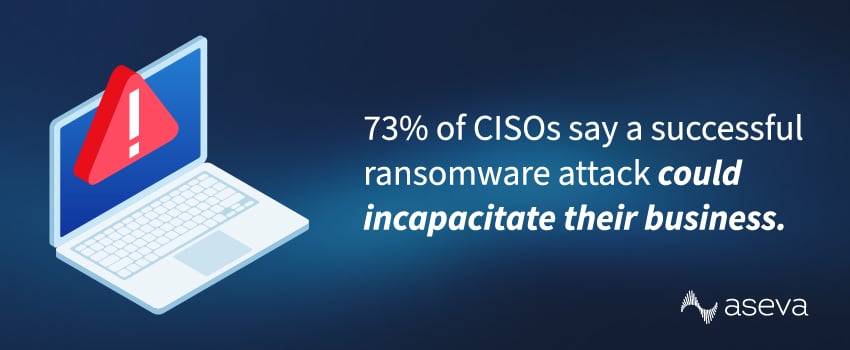
Malware, such as spyware, keyloggers, and ransomware, continues to be one of the biggest threats to business networks. In a 2025 survey, 73% of CISOs revealed that a successful ransomware attack could incapacitate their business.1
These attacks are so damaging because, once deployed, malware can steal sensitive data, encrypt files, or create a backdoor for future access. Attackers often deliver malware through a phishing email or compromised website, and it can spread quickly if not detected early.
2. Phishing and Social Engineering
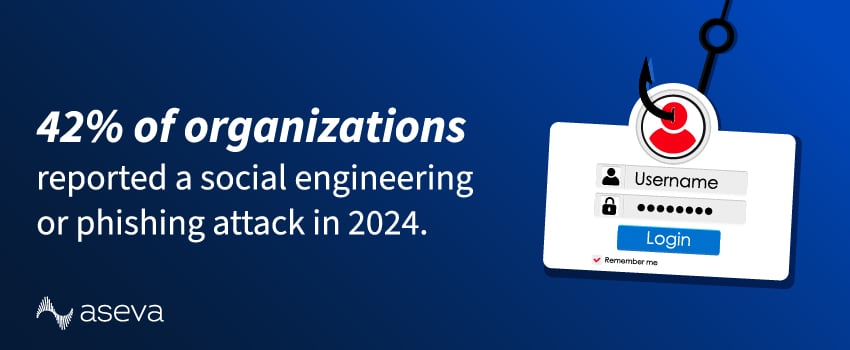
The World Economic Forum’s Global Cybersecurity Outlook 2025 found that 42% of organizations reported a social engineering or phishing attack last year.2 These attacks trick users into giving up confidential information or credentials by posing as legitimate communications, typically in the form of fake emails from a vendor, password reset notices, or text messages.
Social engineering attacks are easy for cybercriminals to launch and difficult to catch with traditional security tools. Because phishing exploits human behavior rather than technical flaws, employee training and email filtering are essential lines of defense.
3. Identity Attacks That Turn Logins Into Breaches
For a long time, “network security” meant protecting the perimeter. Today, many incidents start with something that looks completely legitimate: a real username and password. That’s why identity-based attacks deserve attention as their own category, not just a subtopic under phishing.
Credential Stuffing
Attackers reuse leaked username and password pairs from past breaches and try them across your VPN, SaaS apps, and admin portals. If your users reuse passwords, attackers don’t need malware. They just need one match.
Password Spraying
Instead of hammering one account with hundreds of guesses, spraying tests a small set of common passwords across many accounts to avoid lockouts. It’s quiet, persistent, and often effective against large directories when password hygiene and controls aren’t consistent.
Session & Token Theft
Even with MFA, attackers may go after what happens after login: browser sessions, refresh tokens, and OAuth consent flows. If an attacker steals the “proof” that a user already authenticated, they can move through apps without triggering the same alarms as a failed login attempt.
4. MitM Attacks
In a man-in-the-middle (MitM) attack, a hacker intercepts communication between two endpoints – often to eavesdrop or alter data in transit. Common targets include:
- Remote workers connecting via public Wi-Fi
- Unsecured web applications
- Unencrypted VPN or DNS traffic
MitM attacks highlight the need for encrypted connections and secure tunneling protocols.
5. DDoS Attacks
Distributed Denial of Service (DDoS) attacks flood your network with traffic from botnets, causing slowdowns or total outages. Cybercriminals can use DDoS attacks to disrupt customer-facing services or overwhelm security tools like firewalls and routers, and in some cases, as a distraction to hide other malicious activity.
Guarding against these threats requires edge-based protection and scalable bandwidth that can absorb surges in traffic.
6. Insider Threats
Not all threats come from outside attackers. In fact, 95% of all data breaches are caused by human error.3 Employees or vendors can accidentally or maliciously introduce risk by downloading unauthorized tools, misusing admin credentials, or sharing passwords – all of which typically bypass traditional perimeter defenses.
Monitoring user behavior and enforcing least-privilege access can reduce your exposure to these threats.
7. Application & Api Threats That Become Network Incidents
A “network breach” often begins in a web application. An exposed API, a misconfigured admin panel, or a vulnerable app can become the entry point that lets an attacker land inside your environment and then move laterally.
Web App Entry Points
SQL injection, cross-site scripting, and remote code execution aren’t just “app problems.” They can be used to steal sessions, drop payloads, and establish persistence that turns into broader network access.
Api Security Failures
APIs are built to expose data and actions. Risk shows up when authorization checks are missing, inconsistent, or too permissive, or when endpoints reveal more data than users should ever see. A practical way to structure what to review is the OWASP API Security Top 10.
What To Add To Your Baseline
Inventory public-facing APIs, require strong authentication, enforce object-level authorization everywhere, validate input, and apply rate limits. Then test regularly, because APIs evolve quickly and exposure can change with every release.
Top 5 Network Security Vulnerabilities
Ready to build an effective defense against the top threats? First, you’ll need to identify and address these network vulnerabilities that could be lurking in your environment:
1. Unpatched Systems and Applications
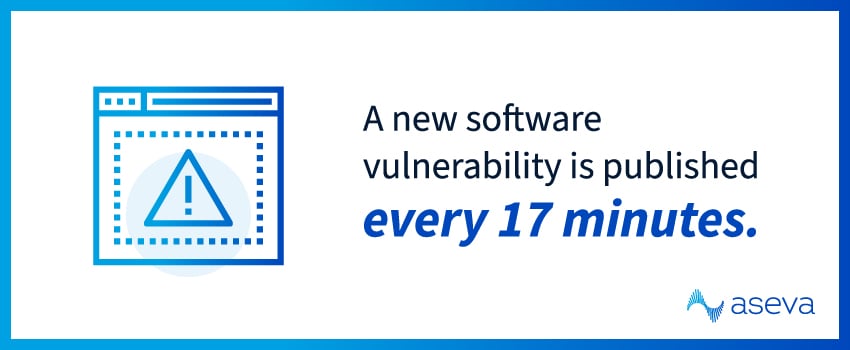
Ignoring security patches can leave the door open for attackers, especially considering that a new software vulnerability is published every 17 minutes.4 Without regular updates, your systems remain vulnerable to attacks that have already been publicly documented.
2. Misconfigured Network Devices
Routers, firewalls, and switches can become weak points if not configured correctly. Failing to change default settings, turning on unnecessary services, or exposing remote access ports creates easy entry points for attackers. Maintain a secure configuration baseline and regularly audit these devices to keep your environment secure.
3. Lack of Network Segmentation
Unsegmented networks allow attackers to move laterally once they’ve breached the perimeter. By separating traffic by function or department, you limit the impact of a breach by keeping it contained to a smaller portion of your environment.
4. Insecure Remote Access
Remote work is now a standard part of business, but it brings added risk if remote access isn’t properly managed. Traditional VPNs or RDP setups can’t protect your network when users share credentials, skip multi-factor authentication, or use outdated clients. However, solutions like Zero Trust Network Access (ZTNA) offer more granular control over access and better protection for remote users.
5. Weak Access Controls
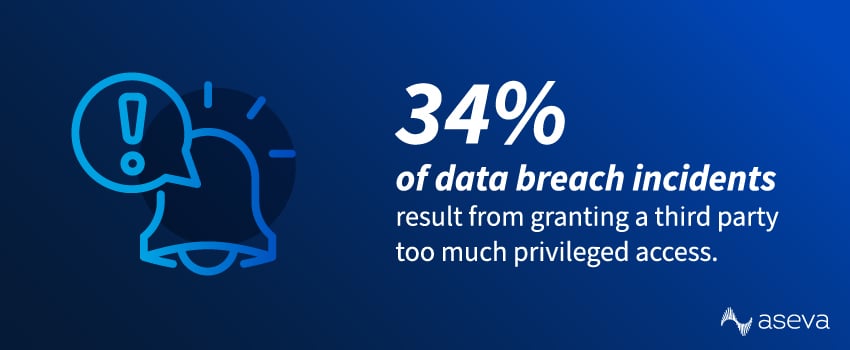
Giving users more network access than they need can quickly lead to problems. A 2025 report revealed that 34% of data breach incidents resulted from granting a third party – such as a vendor or partner – too much privileged access.5 Regularly reviewing user roles and permissions can help enforce least-privilege access and reduce the likelihood of accidental and intentional misuse.
Third-Party Access & Supply Chain Risk
Most organizations don’t get breached “directly.” They get breached through what they rely on: vendors, contractors, MSPs, SaaS platforms, and integrations. That isn’t a reason to avoid third parties. It’s a reason to control third-party access like you control your own.
Over-Privileged Vendor Accounts
Vendors often need access quickly, so they get broad permissions that never get rolled back. Those accounts become high-value targets, and they’re easy to overlook during routine access reviews.
Shared Credentials & Unmanaged Identities
Shared admin logins, long-lived service accounts, and “temporary” contractor access that never expires create blind spots. Attackers love blind spots.
The Controls That Make A Real Difference
Use time-bound access, require MFA, segment vendor access to only what they support, and monitor third-party activity with the same scrutiny as internal admins. If a vendor account behaves differently than normal, treat it as suspicious until you can validate what changed.
Vulnerability Management That Fixes The Right Things First
“Scan and patch” is good advice. It’s also incomplete. Mature vulnerability management is less about finding everything and more about fixing what matters first, consistently, without getting buried in noise.
Start With Asset Visibility
You can’t protect what you can’t see. If you don’t know every device, VM, cloud workload, and SaaS integration in scope, your patch program will always have gaps.
Prioritize By Exposure & Impact
Not every vulnerability deserves the same urgency. Internet-facing systems, identity infrastructure, and business-critical applications should be handled first, especially when there’s credible evidence of active exploitation.
Make Patching Operational
Define patch SLAs, test updates, and track exceptions with owners and expiry dates. Many incidents happen not because teams never patch, but because patching is inconsistent, delayed, or applied without knowing what’s truly exposed.
How Does SASE Address Network Security Threats?
Modern network architectures like Secure Access Service Edge (SASE) help address common network security vulnerabilities by integrating security into the network infrastructure itself.
The SASE model provides built-in protection across multiple threat vectors, including URL filtering, intrusion prevention, malware detection, and identity-aware access controls. With SASE, businesses get an agile, scalable solution to managing security across every location, user, and device – without sacrificing performance or visibility.
How To Prevent Network Security Threats
Reducing your exposure to network security threats doesn’t happen overnight, but small steps add up. Here are a few ways to strengthen your organization’s security posture:
Run Network Vulnerability Scans
Vulnerability scans help you spot the issues attackers look for first, including exposed services, outdated software, weak configurations, and shadow IT. Run scans on a schedule, and make sure they cover cloud workloads, remote endpoints, and externally facing systems. The real value is what happens next: triage findings by risk and exposure, assign owners, and verify remediation instead of letting results sit in a backlog.
Patch Systems Consistently
Patching is still one of the highest-ROI defenses you can run, but only when it’s consistent. Build a routine for operating systems, applications, network devices, and firmware, and prioritize anything internet-facing or tied to identity and remote access. Test critical updates before broad rollout, document exceptions with an expiry date, and track patch coverage so you can prove what’s updated and what isn’t.
Implement Least-Privilege Access
Most environments accumulate permissions over time. Users get access “just in case,” vendors keep admin rights after projects end, and service accounts quietly become permanent keys. Least privilege trims that exposure by ensuring people and systems can only access what they need, for only as long as they need it. Pair role reviews with MFA, privileged access controls, and logging so you can catch risky access patterns early.
Segment Your Network
Segmentation limits blast radius. If an attacker gets in, segmentation helps prevent them from moving freely between departments, environments, or critical systems. Start with practical boundaries, like separating user devices from servers, isolating admin tools, and restricting vendor access to specific segments. Microsegmentation can add finer control, but even basic VLANs and firewall rules can dramatically reduce lateral movement when implemented and maintained properly.
Adopt Next-Gen Security Tools
Modern networks change fast, and older tools often struggle to keep up with cloud traffic, remote users, and identity-driven access. Next-gen capabilities like NGFWs, SASE, and managed SOC services can improve visibility, enforce policy consistently across locations, and speed up detection and response. The goal isn’t “more tools.” It’s better coverage: fewer blind spots, faster containment, and clearer insight into what’s happening across users, devices, and applications.
With the right strategy and support in place, it’s easier to stay ahead of threats and keep your business protected.
Stay Ahead of Network Security Threats With Aseva
Network security isn’t something you can set and forget. As threats evolve, so should your defenses. Taking a proactive approach to strengthening your security posture can make a big difference in how effectively your organization prevents and responds to attacks.
At Aseva, we’ve helped businesses like yours protect their sensitive data for nearly three decades – so we know your cybersecurity options inside out. Whether you need help navigating compliance, securing cloud environments, or implementing Zero Trust, our team simplifies the process with expert guidance and hands-on support.
Reach out today to get started.
Network Security Threats & Vulnerabilities FAQs
What are threats in network security?
Network security threats are malicious actions or vulnerabilities that can compromise the confidentiality, integrity, or availability of data. They include cyberattacks, unauthorized access, malware, and insider misuse.
What are examples of vulnerabilities?
Common examples include unpatched software, weak or reused passwords, misconfigured firewalls or cloud settings, exposed admin interfaces, outdated protocols, and insecure third-party integrations.
How is a network vulnerable to threats?
A network becomes vulnerable when attackers can find an entry point and then move. Entry points often include exposed services, weak authentication, insecure remote access, or a compromised user. Movement usually happens when segmentation is weak, logging is limited, and privileges are broader than necessary. The fix is reducing exposure while improving detection and response speed.
What are the 4 main types of vulnerability?
A practical way to group them is:
- Software/technical (bugs, unpatched systems)
- Configuration (misconfigurations, open ports, weak policies)
- Human (phishing susceptibility, poor password habits)
- Process/operational (weak access controls, poor monitoring, missing backups)
What are the security threats in network security?
Common network security threats include malware (especially ransomware), phishing and social engineering, credential attacks (stolen passwords, brute force, password spraying), exploiting vulnerabilities (unpatched systems or misconfigurations), man-in-the-middle attacks, DDoS attacks, and insider threats (accidental or malicious).
How to identify security threats?
You identify threats by combining visibility + signals:
- Monitor logs and alerts (firewalls, endpoints, identity/MFA, cloud, email) for unusual activity.
- Watch for anomalies: repeated failed logins, logins from new locations, unusual data transfers, new admin accounts, unexpected configuration changes, or unknown devices.
- Use vulnerability scanning and patch tracking to spot exploitable weaknesses.
- Check for IOC indicators: suspicious domains, processes, file hashes, or outbound connections.
- Validate with incident response playbooks so suspicious events get triaged fast.
How can I protect my network from malware?
Focus on layered prevention and fast containment. Keep systems patched, restrict admin privileges, harden endpoints, and block risky downloads and known malicious destinations. Then back it up with monitoring so you can isolate infected devices quickly and stop spread across shared drives and internal services.
Sources:
- https://www.itpro.com/security/ransomware/ransomware-attacks-carry-huge-financial-impacts-but-ciso-worries-still-arent-stopping-firms-from-paying-out
- https://reports.weforum.org/docs/WEF_Global_Cybersecurity_Outlook_2025.pdf
- https://www.mimecast.com/resources/ebooks/state-of-human-risk-2025
- https://www.businesswire.com/news/home/20240626146201/en/Skybox-Security-Report-Reveals-Over-30000-New-Vulnerabilities-Published-in-Past-Year
- https://www.imprivata.com/company/press/imprivata-study-finds-nearly-half-organizations-suffered-third-party-security